Head to head
MacBook Air M4 vs MacBook Pro 14 M4: which one to buy
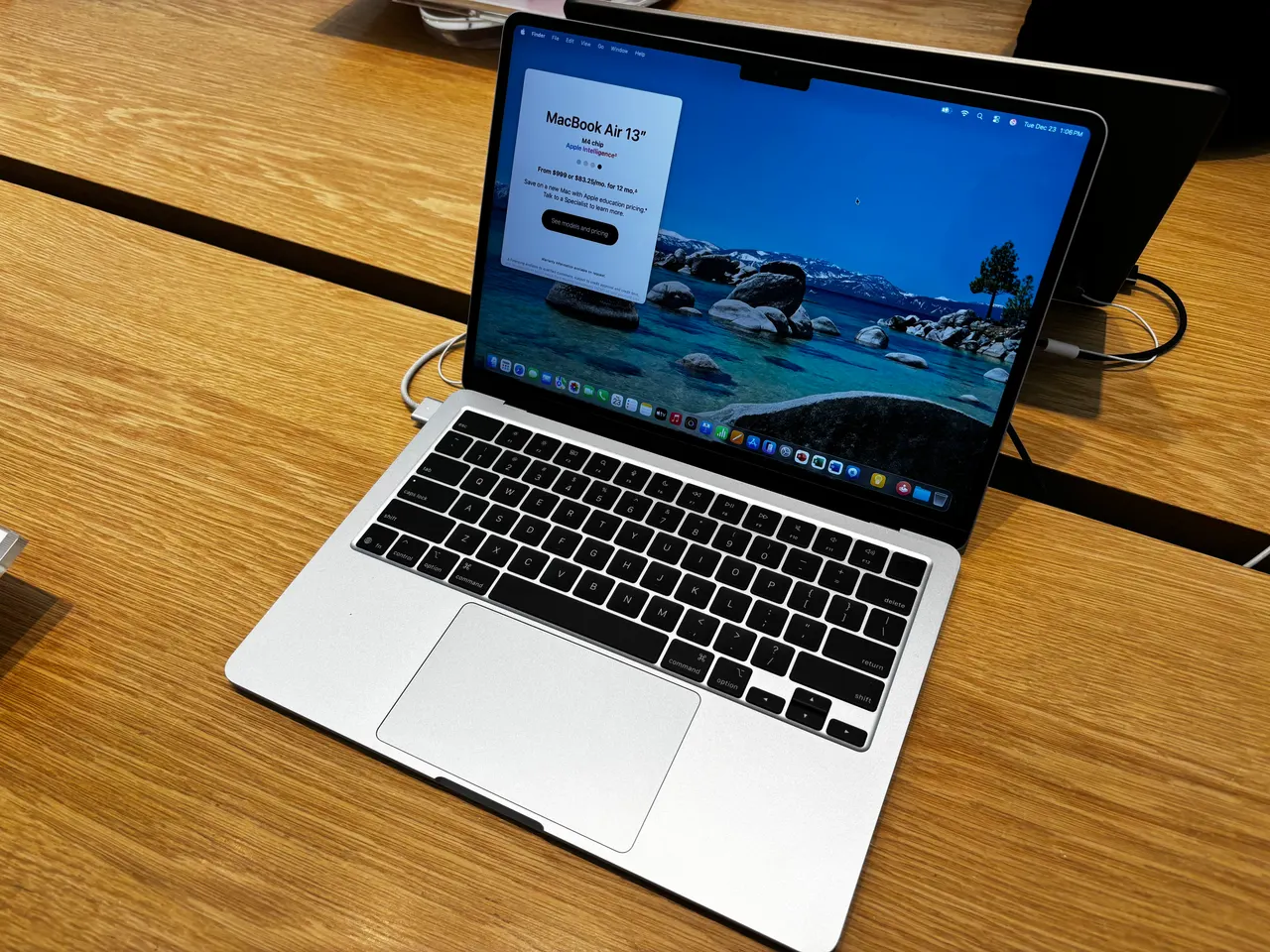
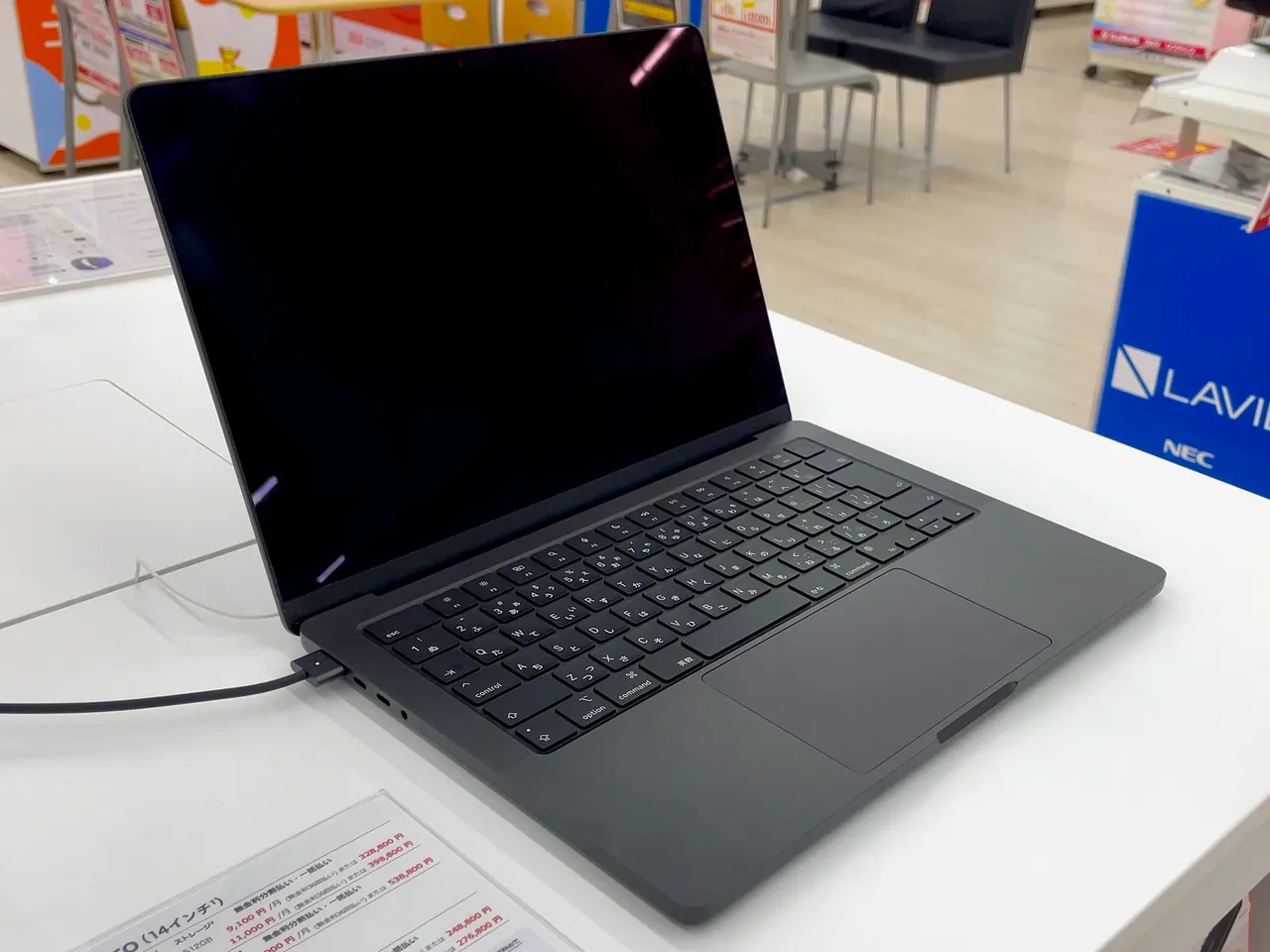
The most common Apple laptop dilemma of 2025: the base Pro 14 and the Air now run the same 10-core M4 with the same 16 GB, so buyers want to know what the 600 dollar gap actually buys and whether they are the person it is for.
Some links are affiliate links; we may earn a commission at no extra cost to you. How we make money.
Specs at a glance
| Spec | Apple MacBook Air 13 (M4) | Apple MacBook Pro 14 (M4) |
|---|---|---|
| Price | ~999 USD (best in row) | ~1599 USD +$600 |
| Released | 2025 (best in row) | 2024 |
| CPU | Apple M4 (10-core) | Apple M4 (10-core) |
| GPU | Apple M4 8-core GPU | Apple M4 GPU (10-core, integrated) |
| RAM | 16 GB (soldered) | 16 GB (soldered) |
| Storage | 256 GB −256 GB | 512 GB (best in row) |
| Screen | 13.6" 2560x1664 @ 60Hz | 14.2" 3024x1964 @ 120Hz |
| Weight | 1.24 kg (best in row) | 1.55 kg +0.31 kg |
| Battery (real) | ~15 h (best in row) | ~14 h −1 h |
| Linux | problematic | problematic |
The verdict
Most people should buy the Air and spend the difference elsewhere. The compared configs run the same 10-core M4 with the same 16 GB of RAM, so day-to-day speed is a wash; what the extra 600 dollars buys is the screen, the fan, and a bit of stamina headroom. The Pro 14's mini-LED panel at 1000 nits and 120 Hz is in a different class to the Air's 500-nit 60 Hz IPS, our display scores say 10 versus 7, and that is the honest reason to pay up: colour-critical photo and video work, HDR grading, or simply living in direct sunlight. The fan means the Pro holds its pace in long exports where the fanless Air steps down. If none of that describes your week, the Air is 310 grams lighter, just as fast in short bursts, scores higher on value (9 versus 7), and saves you 600 dollars. Neither is a Linux machine today: both sit at problematic, because Linux on Apple Silicon means Asahi and these generations are still early.
Prices in the table are indicative RRP, not live. Some links are affiliate links; we may earn a commission at no extra cost to you. How we make money.
Same chip, so stop comparing speed
Both compared configs carry the identical Apple M4 with 10 cores and 16 GB of soldered memory. In short, bursty work, browsing, writing, calls, code editing, light photo edits, they are the same computer. The difference appears under sustained load: the Pro 14 has active cooling and the Air does not, so a half-hour video export or a long compile will see the Air step its clocks down while the Pro keeps going. Our performance scores, 9 for the Pro against 8 for the Air, reflect exactly that gap and no more. If your heavy tasks run in minutes rather than hours, the chip argument for the Pro evaporates.
The screen is what you are actually buying
This is the real 600 dollars. The Pro 14 has a 14.2-inch mini-LED panel that reaches 1000 nits with a 120 Hz refresh rate; the Air has a 13.6-inch IPS panel at 500 nits and 60 Hz. Side by side the Pro is brighter, smoother in motion, and far more capable for HDR and colour-critical work, which is why it takes a 10 on our display score where the Air takes a 7. The honest question is whether you will use that. For documents, browsers and video calls a 500-nit IPS is genuinely good, and 60 Hz only feels slow once 120 Hz has spoiled you. For photo editing, grading, or working outdoors in sun, the Pro panel pays for itself.
Weight, battery and the daily carry
The Air weighs 1.24 kg against the Pro's 1.55 kg, a difference you notice in a shoulder bag every day. The battery story is closer than the spec sheet suggests: the Pro carries a much larger 72 Wh pack against the Air's 53 Wh, but the brighter, faster panel spends part of that advantage, so real-world figures land around 14 hours for the Pro and about 15 for the Air in lighter use. Our battery scores, 10 versus 9, call it nearly even. Neither machine needs the charger for a normal working day; buy on screen and weight, not on battery.
The Linux question, answered honestly
Both machines grade problematic for Linux, and the reason is the platform, not the model. Linux on Apple Silicon means the Asahi project, and support for the M4 generation is still in early development: booting is not a given, and the polished daily-driver experience that exists for some older M-series machines is not there yet. If running Linux natively matters to you, neither of these is the right purchase today; look at the x86 ultrabooks in our Linux hub instead. If macOS is your home and Linux curiosity is occasional, a virtual machine covers that fine on either.
FAQ
Is the MacBook Pro 14 M4 faster than the MacBook Air M4?
In short tasks, no: the compared configs use the same 10-core M4 and 16 GB of RAM. The Pro pulls ahead only in sustained heavy work, because its fan lets the chip hold full speed where the fanless Air gradually slows down.
Is the MacBook Pro 14 screen worth the extra money?
If you do colour-critical work, edit photos or video, want HDR, or often work in bright light, yes: 1000 nits of mini-LED at 120 Hz against 500 nits of IPS at 60 Hz is the biggest real difference between these machines. For documents and browsing the Air's panel is good enough that most people will not miss the upgrade.
Which has better battery life, the Air M4 or the Pro 14 M4?
They are close. The Pro has a larger 72 Wh battery but a hungrier screen and lands around 14 real hours; the Air does about 15 from its 53 Wh pack in lighter use. Both comfortably cover a full working day.
Can these MacBooks run Linux?
Not well today. Both grade problematic: Linux on Apple Silicon means the Asahi project, and M4-generation support is still early. Buy an x86 laptop if native Linux is a requirement.