Head to head
MacBook Air 13 M4 vs MacBook Air 15 M3: size against substance
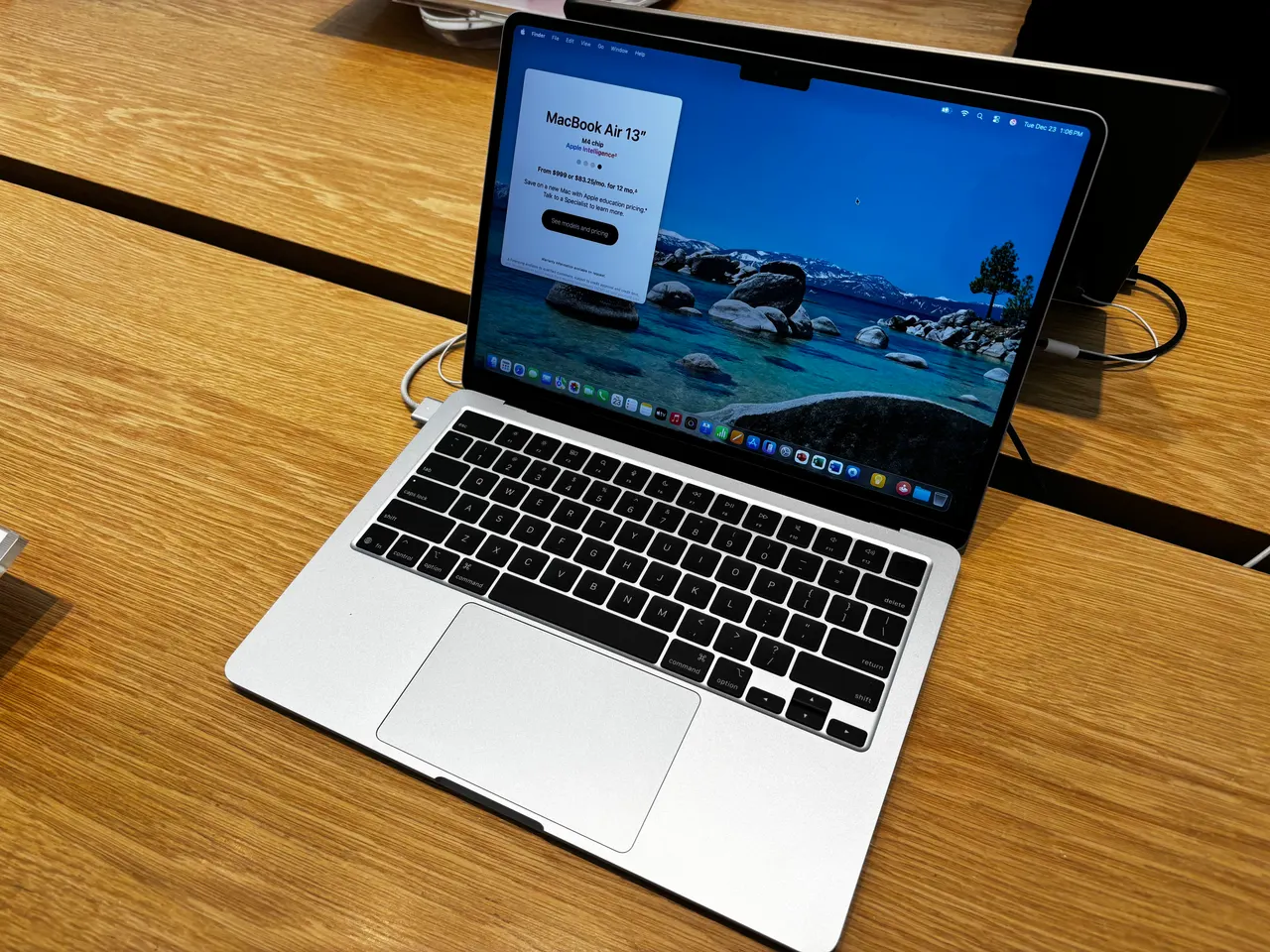
A pure size-choice search at the checkout stage: same product line, two screens. The catch most buyers miss is that the configurations on sale are not equals; the smaller machine is newer, cheaper and carries double the memory.
Some links are affiliate links; we may earn a commission at no extra cost to you. How we make money.
Specs at a glance
| Spec | Apple MacBook Air 13 (M4) | Apple MacBook Air 15 (M3, 2024) |
|---|---|---|
| Price | ~999 USD (best in row) | ~1299 USD +$300 |
| Released | 2025 (best in row) | 2024 |
| CPU | Apple M4 (10-core) | Apple M3 (8-core) |
| GPU | Apple M4 8-core GPU | Apple M3 GPU (10-core) |
| RAM | 16 GB (soldered) (best in row) | 8 GB (soldered) −8 GB |
| Storage | 256 GB | 256 GB |
| Screen | 13.6" 2560x1664 @ 60Hz | 15.3" 2880x1864 @ 60Hz |
| Weight | 1.24 kg (best in row) | 1.51 kg +0.27 kg |
| Battery (real) | ~15 h | ~15 h |
| Linux | problematic | problematic |
The verdict
Buy the 13-inch M4 unless the bigger screen is the whole reason you are shopping. The compared 15-inch M3 costs 300 dollars more and ships 8 GB of soldered memory against the 13-inch M4's 16 GB; that is the wrong direction on both counts, and it is why our value scores split 9 against 7. The M4 is also the newer, faster chip, 10 cores against 8, with performance scores of 8 each but more headroom in sustained work. What the 15 genuinely offers is its 15.3-inch panel, a meaningfully roomier canvas at the same 500 nits, and a slightly larger battery that makes it our only 10-out-of-10 battery score in the Air line. If you specifically want the big screen and will not push past light use, it remains a lovely machine; configure more storage or RAM and the price gap widens further. Everyone else gets more computer for less money at 13.6 inches. Neither is a Linux buy: both grade problematic, because Apple Silicon support of these generations through Asahi is not daily-driver ready.
Prices in the table are indicative RRP, not live. Some links are affiliate links; we may earn a commission at no extra cost to you. How we make money.
The configuration trap
Read the two price tags with the spec sheet open. The 13-inch M4 lists at 999 dollars with 16 GB of memory; the 15-inch M3 lists at 1299 dollars with 8 GB. Both are soldered forever. So the extra 300 dollars buys a bigger screen while halving the memory, and memory is the spec that decides how a MacBook feels in year four, as we argued in our M4-versus-M3 and M1-versus-M4 comparisons. Apple sells the 15 with more RAM, but at upgrade prices that push it further from the M4's sticker. Unless the screen is non-negotiable, the configuration math lands hard on the smaller machine.
What 15.3 inches is actually like
The case for the 15 is real and simple: a 2880x1864 panel at 15.3 inches is a different working experience to 13.6. Two documents sit side by side comfortably, timelines and spreadsheets breathe, and at the same 500 nits and 60 Hz the panel quality matches its smaller sibling, both scoring 7 on our display rubric. The cost is carry weight, 1.51 kg against 1.24, still light for a 15-inch machine but noticeable next to the featherweight 13. If your laptop is a desk machine that travels weekly rather than daily, the size trade reads very differently than it does for a commuter.
Battery and the rest of the sheet
The 15 carries a 66.5 Wh pack against the 13's 53 Wh and turns it into the better endurance figure, a 10 against a 9 on our battery score, with both machines landing around 15 real hours in light use. Builds are the same 9, keyboards the same 8, and the chip difference, M4 against M3, matters less in daily feel than the spec war suggests: both are quick, quiet, fanless machines. The honest summary of this section is a tie that slightly favours the 15 on stamina and the 13 on portability, which is exactly what the sizes promise.
Linux on either Air: not yet
Both machines grade problematic in our per-distro data, each backed by a Fedora-based report, and the reason is the platform: Linux on Apple Silicon runs through the Asahi project, which is furthest along on the much older M1 generation and not daily-driver ready on M3 or M4. If you want a big-screen Linux ultrabook, the x86 machines in our Linux hub are the honest path. If you want Apple hardware AND Linux, our M1-versus-M4 comparison explains why the discounted M1 Air is, oddly, the strongest Apple option for that job.
FAQ
Is the MacBook Air 15 worth 300 dollars more than the Air 13 M4?
Only for the screen. The compared 15-inch M3 config ships 8 GB of memory against the 13-inch M4's 16 GB, runs the older chip, and weighs more. If the 15.3-inch panel is the reason you are buying, it delivers; on every other line the cheaper 13 is the stronger machine.
Does the MacBook Air 15 have better battery life than the 13?
Slightly. Its 66.5 Wh pack earns our only 10-out-of-10 battery score in the Air line, against 9 for the 13-inch M4; in practice both run around 15 real hours of light work and easily cover a full day.
Is the M4 much faster than the M3 in these Airs?
It is the newer 10-core chip against an 8-core M3 and pulls ahead in sustained and multi-core work, but both score 8 on our performance rubric and feel identical in browsing and office tasks. Buy on RAM, screen size and price, not on this chip gap.
Can the MacBook Air 13 or 15 run Linux?
Not well. Both grade problematic: Linux on Apple Silicon means Asahi, which is not daily-driver ready on the M3 and M4 generations. The mature Asahi target is the old M1 Air, covered in our M1-versus-M4 comparison.