Head to head
ThinkPad X1 Carbon Gen 13 vs Dell XPS 13 9350
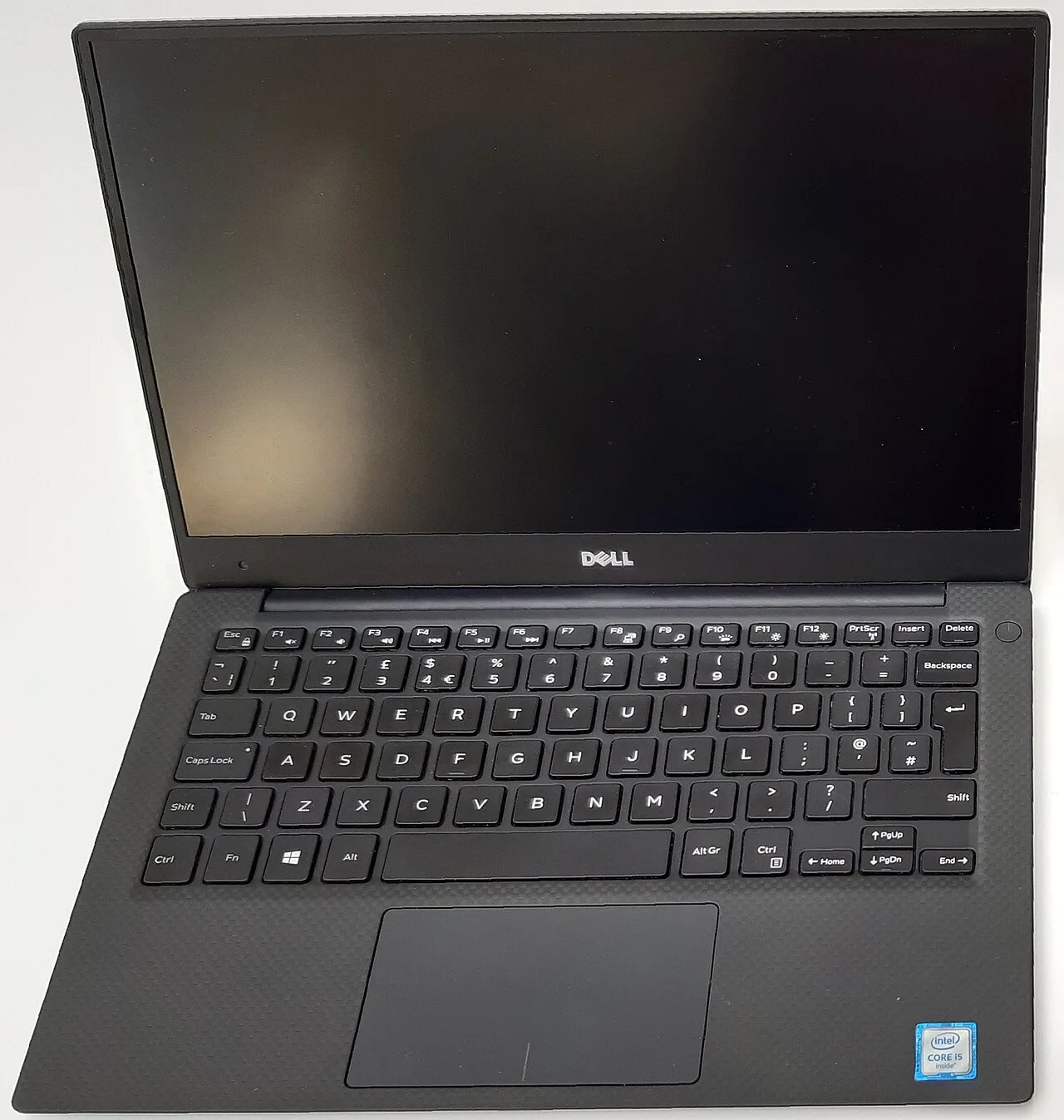
These two share the exact same Intel Core Ultra 7 258V, so the CPU is a non-decision. Buyers cross-shop them on keyboard, weight, build, price, and increasingly on which one is less broken on Linux. The webcam situation differs in an important way.

Some links are affiliate links; we may earn a commission at no extra cost to you. How we make money.
Specs at a glance
| Spec | Lenovo ThinkPad X1 Carbon Gen 13 Aura Edition | Dell XPS 13 9350 |
|---|---|---|
| Price | ~2519 USD +$1120 | ~1399 USD (best in row) |
| Released | 2025 (best in row) | 2024 |
| CPU | Intel Core Ultra 7 258V | Intel Core Ultra 7 258V |
| GPU | Intel Arc Graphics 140V (integrated) | Intel Arc Graphics 140V (integrated) |
| RAM | 32 GB (soldered) (best in row) | 16 GB (soldered) −16 GB |
| Storage | 1024 GB (best in row) | 512 GB −512 GB |
| Screen | 14" 2880x1800 @ 120Hz | 13.4" 1920x1200 @ 120Hz |
| Weight | 0.99 kg (best in row) | 1.21 kg +0.22 kg |
| Battery (real) | ~12 h (best in row) | ~11 h −1 h |
| Linux | minor tweaks | problematic |
The verdict
Buy the ThinkPad X1 Carbon Gen 13 if the budget allows, and especially if you type for a living or want Linux. Same Core Ultra 7 258V as the XPS, but 982 grams against 1.21 kg, the best keyboard in this comparison, a 12-hour battery against the XPS's 11, and a physical function row instead of the XPS's capacitive strip that reviewers have disliked for years. The Dell XPS 13 9350 is the cheaper machine at around 1399 USD versus the X1's roughly 2519 USD, and that gap is large enough that the XPS is the rational pick for a tight budget. On Linux both have IPU7 camera trouble, but the X1's webcam works on a recent enough kernel while the XPS's stays broken even on kernel 6.18. If you can afford it, the X1 Carbon. If price is the deciding factor, the XPS, with the function-row and webcam caveats understood.
Prices in the table are indicative RRP, not live. Some links are affiliate links; we may earn a commission at no extra cost to you. How we make money.
Same CPU, so ignore the CPU
Both run the Intel Core Ultra 7 258V, the same Lunar Lake part with the same Arc 140V graphics. Performance differences between these two come down to chassis thermals and power limits, not silicon, and in practice both behave like efficient thin-and-lights: strong for browsers, editors, and office work, fine for light creative tasks, not workstations. This is the rare comparison where you can take the processor off the table entirely and decide on everything else. Both ship 16 GB soldered RAM at the compared config and both are non-upgradeable, so spec the RAM you need at purchase. The X1 doubles the XPS's storage at the compared config, 1024 GB versus 512 GB, which narrows the price gap slightly but does not close it.
Keyboard, weight, and build
This is the real fight. The X1 Carbon Gen 13 is 982 grams, the lightest machine in this whole set, and it has the keyboard ThinkPads are bought for, scoring 9 on keyboard against the XPS's 6. The XPS 13 9350 is 1.21 kg and keeps the capacitive touch function strip with no physical Escape or volume keys, a design reviewers have criticized for several generations because you cannot find the keys by feel. If you live in a terminal or edit text all day, that capacitive Escape is a daily annoyance and the X1's physical row alone can justify the upgrade. Battery favors the X1 too, about 12 real hours against the XPS's 11, close but in the lighter machine. The XPS's counter is its 120 Hz panel, matched by the X1's own 120 Hz panel here, so the screen is roughly a wash and the X1 wins build, keyboard, and weight outright.
Linux: both have IPU7 trouble, but not equally
Both use the Intel IPU7 camera stack, and this is the defining Linux difference. The X1 Carbon Gen 13 grades minor-tweaks. Phoronix tested it well on Fedora 42; Wi-Fi, Bluetooth, fingerprint on Fedora, audio, and suspend work; the IPU7 camera needs kernel 6.13+ plus libcamera and is broken on the stock Ubuntu LTS stack but does work on a recent kernel. One firmware bug can pin the CPU at 400 MHz, worked around with the performance ACPI profile until the BIOS fix. So the X1's camera is a kernel-version problem with a known good state. The XPS 13 9350 grades problematic. Wi-Fi, Bluetooth, fingerprint, audio, and suspend work, but the IPU7 OV02C10 camera is blocked by a Dell BIOS bug, and it is still broken on Arch with kernel 6.18, with no working state on any kernel. That is the distinction: on the X1 the webcam is fixable by running a current enough kernel; on the XPS it is a hardware-firmware dead end. For a Linux buyer that moves the X1 clearly ahead.
Price and the recommendation
The XPS 13 9350 lists around 1399 USD (1599 EUR). The X1 Carbon Gen 13 lists around 2519 USD (2700 EUR). That is a large gap, over 1000 USD, for the same CPU. What the premium buys is real: 230 grams saved, a markedly better keyboard, a physical function row, a slightly longer battery, and a webcam that works on Linux given a current kernel. Whether that is worth a four-figure premium depends on you. If you type for a living, travel constantly, or run Linux, the X1 Carbon Gen 13 is the better tool and the recommendation. If the budget is fixed and the function row and the dead Linux webcam are tolerable, the XPS 13 9350 is the honest value pick and there is no shame in it. Same engine, very different cabin, very different sticker.
FAQ
Do these have the same processor?
Yes, both run the Intel Core Ultra 7 258V (Lunar Lake) with Arc 140V graphics. Performance differences come from chassis thermals, not silicon, so you can decide on keyboard, weight, build, Linux status, and price rather than CPU.
Which has the better keyboard?
The ThinkPad X1 Carbon Gen 13, clearly. It scores 9 on keyboard with a physical function row. The XPS 13 9350 keeps a capacitive touch function strip with no physical Escape or volume keys, which reviewers have disliked for several generations because you cannot find keys by feel.
Which is the better Linux laptop?
The X1 Carbon Gen 13. Both use the IPU7 camera, but on the X1 the webcam works on kernel 6.13+ with libcamera, while on the XPS 13 9350 a Dell BIOS bug keeps the camera broken even on kernel 6.18. Everything else works on both; the camera is the deciding factor.
Is the X1 Carbon worth the extra money?
If you type for a living, travel constantly, or run Linux, yes: 982 grams, a much better keyboard, a physical function row, and a Linux-fixable webcam. If the budget is fixed and you can tolerate the capacitive row and a dead Linux webcam, the cheaper XPS 13 9350 is a fair value pick.