Head to head
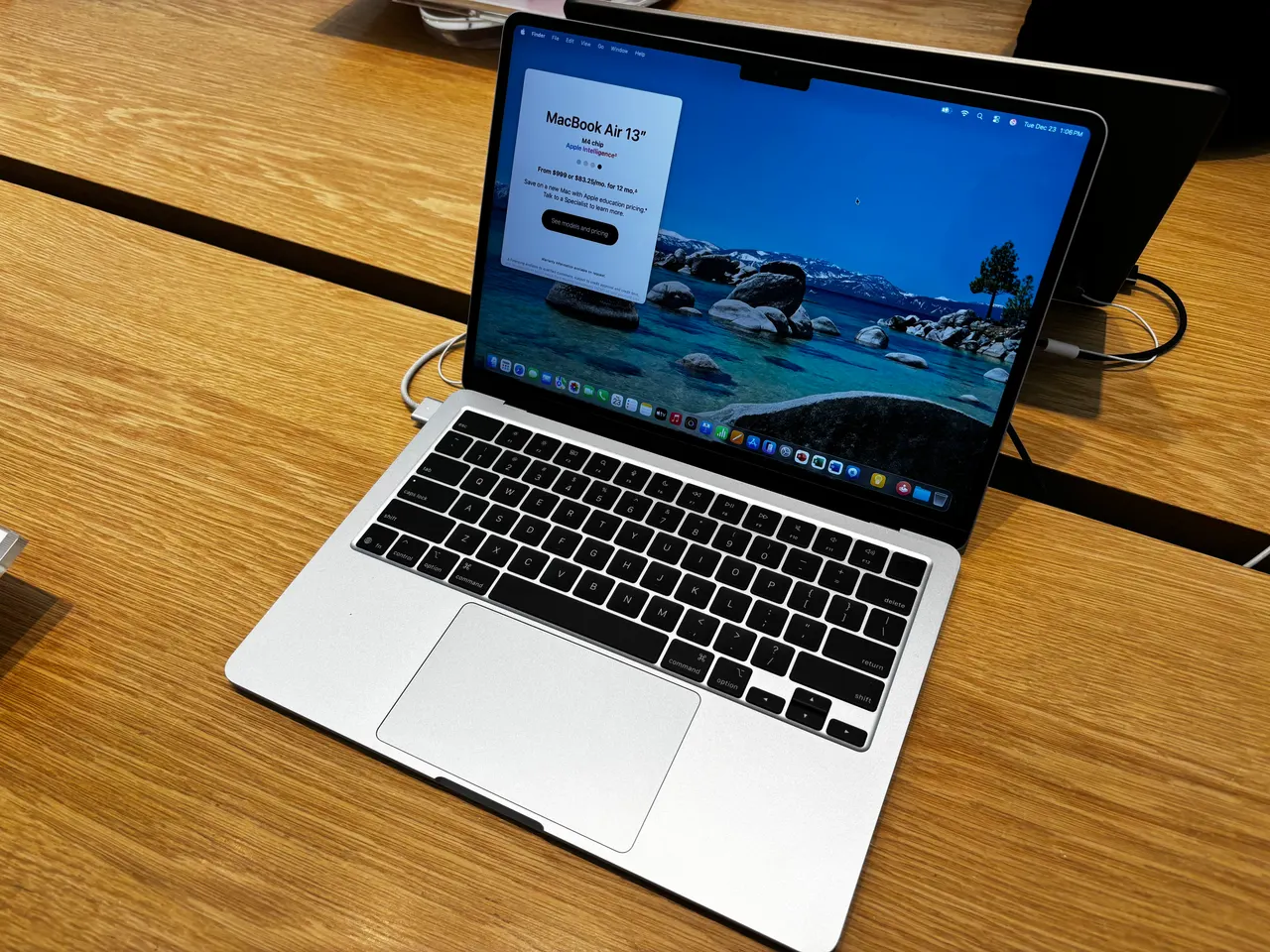
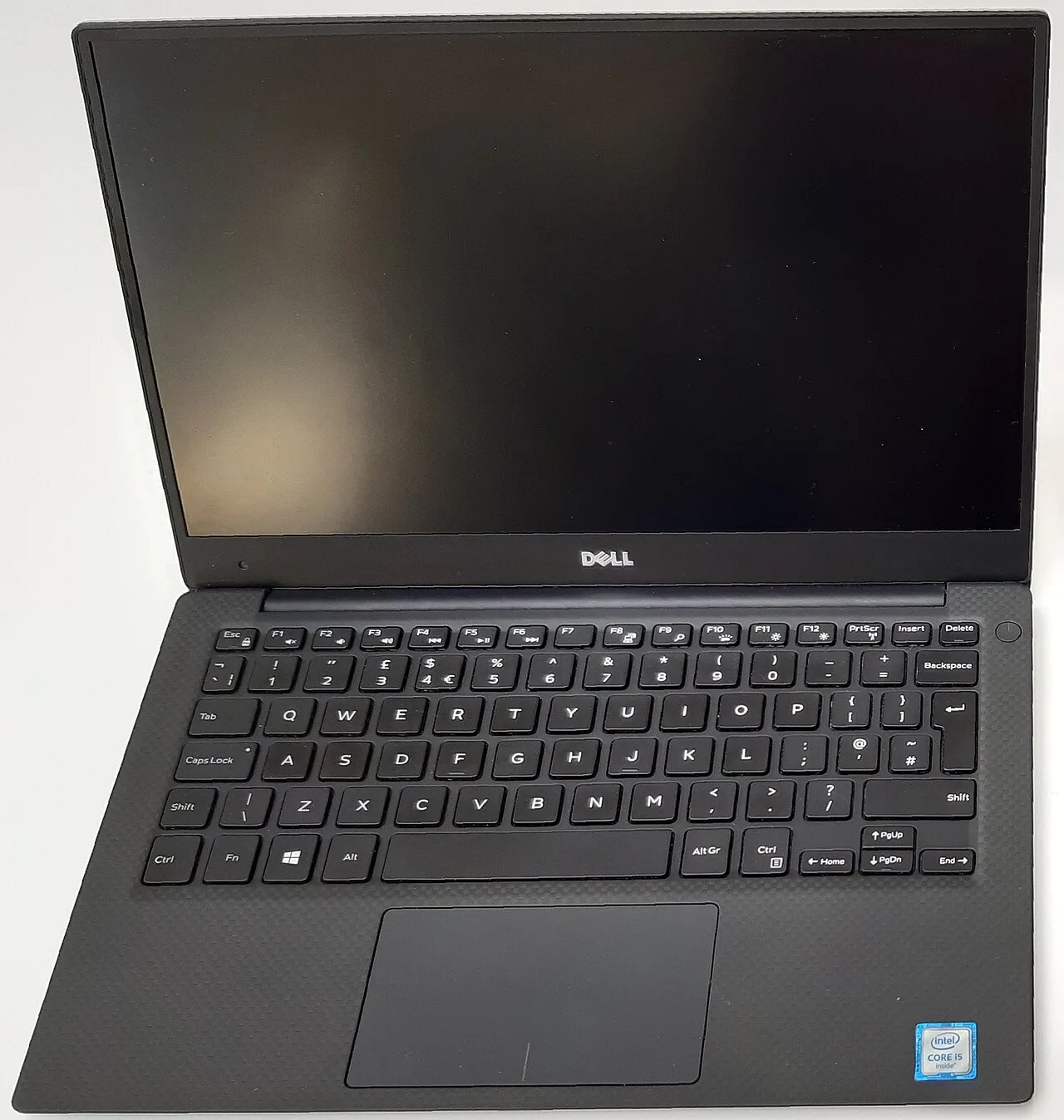
MacBook Air 13 M4 vs Dell XPS 13 9350: the 13-inch premium pick
These are the two default 13-inch premium ultrabooks people cross-shop. One runs macOS, one runs Windows, and a chunk of buyers also want to know if either is usable on Linux. The honest answer changes the recommendation a lot depending on which camp you are in.
Some links are affiliate links; we may earn a commission at no extra cost to you. How we make money.
Specs at a glance
| Spec | Apple MacBook Air 13 (M4) | Dell XPS 13 9350 |
|---|---|---|
| Price | ~999 USD (best in row) | ~1399 USD +$400 |
| Released | 2025 (best in row) | 2024 |
| CPU | Apple M4 (10-core) | Intel Core Ultra 7 258V |
| GPU | Apple M4 8-core GPU | Intel Arc Graphics 140V (integrated) |
| RAM | 16 GB (soldered) | 16 GB (soldered) |
| Storage | 256 GB −256 GB | 512 GB (best in row) |
| Screen | 13.6" 2560x1664 @ 60Hz | 13.4" 1920x1200 @ 120Hz |
| Weight | 1.24 kg +0.03 kg | 1.21 kg (best in row) |
| Battery (real) | ~15 h (best in row) | ~11 h −4 h |
| Linux | problematic | problematic |
The verdict
For most people the MacBook Air 13 M4 is the better laptop and it is not close. Apple killed the 8 GB base, dropped the price to 999 USD, and the M4 Air delivers about 15 real hours, a 9-out-of-10 build, and silent fanless performance that the XPS 13 cannot match. The Dell XPS 13 9350 is a lovely object with an 11-hour battery and a sharp 120 Hz panel, but it lists around 1399 USD, the capacitive function row still annoys nearly every reviewer, and on Linux its IPU7 webcam is dead because of a Dell BIOS bug no kernel fixes. Buy the Air unless you specifically need Windows or x86. If Linux is the actual goal, neither of these is your laptop, and the body text explains why in detail.
Prices in the table are indicative RRP, not live. Some links are affiliate links; we may earn a commission at no extra cost to you. How we make money.
Battery, performance, and the fan
The M4 Air is fanless and returns roughly 15 hours of real use. The XPS 13 9350 runs an Intel Core Ultra 7 258V (Lunar Lake), which is Intel's most efficient laptop part in years and genuinely good for about 11 real hours, but it still has a fan and it still spins up under sustained load. Fifteen versus eleven is a real gap, and silence versus audible is another. On raw CPU the M4 and the 258V are closer than the battery numbers suggest for bursty work like browsers and editors; the Air pulls ahead on sustained multi-core and on anything that touches the GPU or media engines. Both ship 16 GB soldered RAM at their compared configs, both are non-upgradeable, so buy the RAM you need on day one. The Air's storage starts at 256 GB, the XPS at 512 GB, which slightly narrows the price gap but not enough to flip it.
Build, keyboard, and the function row problem
Both are excellent objects. The Air is 1.24 kg, the XPS 13 is 1.21 kg, so weight is a wash. The XPS 13 has the sharper screen on paper, 120 Hz versus the Air's 60 Hz, and if you are sensitive to scroll smoothness that is the one area the Dell clearly wins. The keyboards diverge hard. The Air has a normal, well-regarded keyboard with a physical function row. The XPS 13 keeps the edge-to-edge keycaps and the capacitive touch function strip with no physical Escape or volume keys, and reviewers have complained about it for several generations because you cannot feel it without looking. If you live in a terminal or a vim setup, a capacitive Escape key is a daily papercut. That single design choice is enough to move some buyers off the XPS regardless of everything else.
The Linux reality on both
This is where the comparison gets blunt. The MacBook Air 13 M4 scores 1 out of 10 on Linux for a reason: Linux on Apple Silicon means Asahi Linux, Asahi targets the M1 and M2 families, and M4 is the least developed target with only a basic Alpine boot reported. There is no usable daily-driver Linux on an M4 Air, and Touch ID never works under Asahi. Treat the Air as a macOS-only machine and you will be happy; expect to dual-boot Linux and you will be disappointed. The XPS 13 9350 is better but still problematic at 4 out of 10. Wi-Fi, Bluetooth, fingerprint, audio, and suspend all work on Ubuntu with kernel 6.11+, which sounds fine until the camera: the IPU7 OV02C10 webcam is blocked by a Dell BIOS bug that no kernel or firmware update fully fixes, and it is still broken on Arch with kernel 6.18. So if Linux matters, the XPS is a working laptop with a permanently dead webcam, and the Air is not a Linux laptop at all. Neither is a Linux recommendation; if that is your priority, look at the AMD ThinkPad or a vendor machine instead.
Price and the recommendation
The Air lists 999 USD (1199 EUR). The XPS 13 9350 lists around 1399 USD (1599 EUR). The Air is cheaper, lasts longer on battery, runs silently, and is the better-value machine in years now that the 8 GB base is gone. The XPS earns its premium only on the 120 Hz panel and on being x86 Windows, which matters if you need Windows-only software, x86 virtualization, or simply do not want macOS. Recommendation: default to the MacBook Air 13 M4. Choose the XPS 13 9350 only if you need Windows or x86 and can tolerate the capacitive function row. Choose neither for Linux. That is the whole comparison.
FAQ
Can I run Linux on the MacBook Air M4?
Not as a usable daily driver. Asahi Linux supports the M1 and M2 families well; the M4 is the least developed target and only a minimal boot is reported as of 2026. Touch ID never works under Asahi. Buy the Air for macOS, not for Linux.
Is the Dell XPS 13 9350 webcam fixable on Linux?
No, not reliably. The IPU7 OV02C10 camera is blocked by a Dell BIOS bug, and it remains broken even on Arch with kernel 6.18. Everything else on the XPS works on Linux, but plan to use an external USB webcam if you go Linux on this machine.
Which has the better screen?
The XPS 13 9350 on refresh rate: it runs a 120 Hz panel versus the Air's 60 Hz. The Air's panel is still sharp and bright at 500 nits. If smooth scrolling and motion matter to you, the XPS wins this single category.
Which is the better value?
The MacBook Air 13 M4. At 999 USD with longer battery life, a fanless design, and the 8 GB base finally retired, it undercuts the roughly 1399 USD XPS 13 while lasting longer per charge. The XPS justifies its price only if you specifically need Windows or x86.